Downloads Shidduchim
Shidduchim — desktop matchmaking for shadchanim
Manage candidate cards, scored match suggestions, side-by-side compare, meetings, and optional bidirectional sync with the self-registration site.
- Windows 10/11 (64-bit)
- Hebrew
- Free to download
What is it?
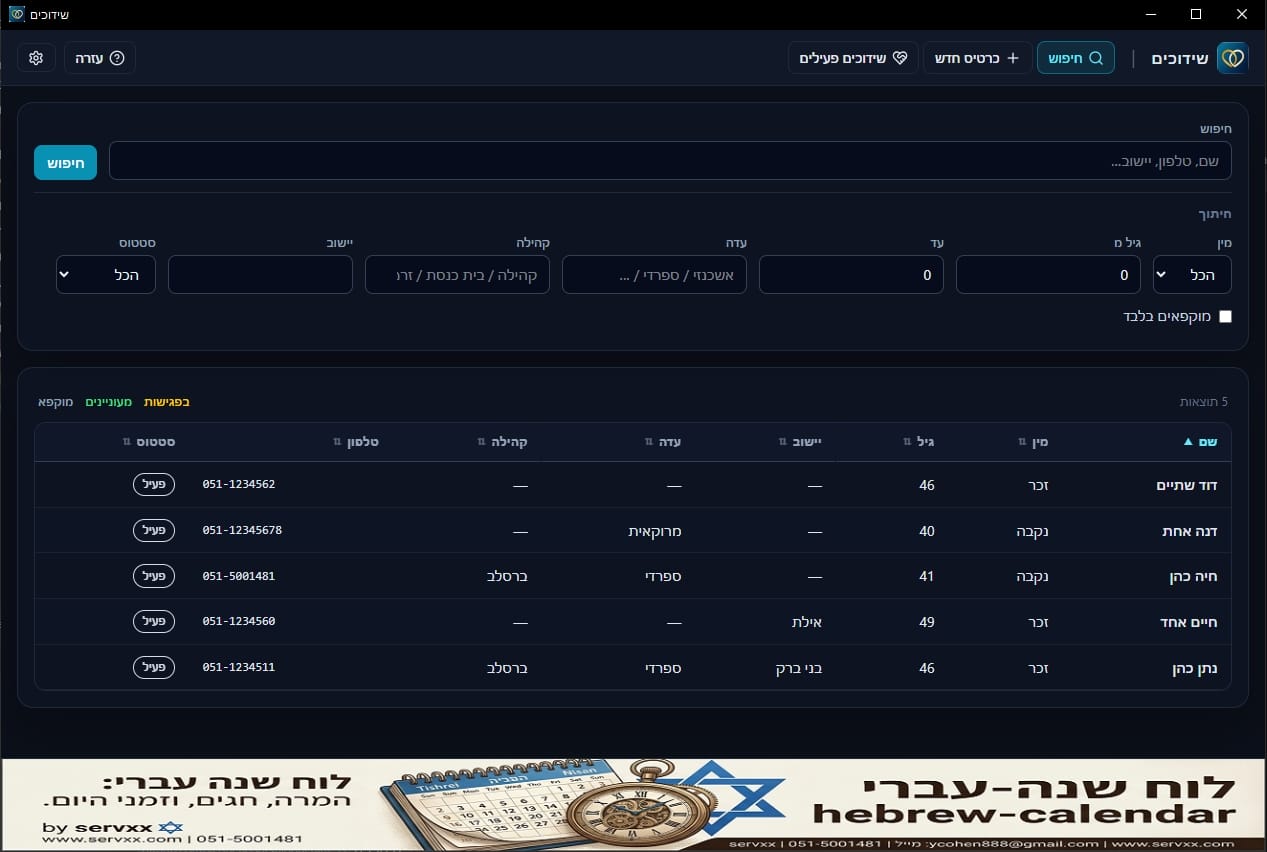
Shidduchim is a Windows app for shadchanim: full candidate cards, search and filters, match suggestions, side-by-side compare, PDF export, and meeting workflow.
Optional sync with shidduchim.servxx.com lets candidates fill their own cards; the desktop app pulls and pushes profile updates. Private shadchan notes and references stay local only.
Key features
-
Candidate cards
Personal details, background, expectations, references, shadchan notes, and private notes.
-
Photos
Add and remove, enlarged view, shown on the card and in compare.
-
Search and filters
Name, phone, community, town, age, and status.
-
Match suggestions
Score 0–100 by gender, age range, and more fields.
-
Compare view
Side-by-side table, match percent, and photos.
-
PDF export
Single card or comparison — for print or sharing.
-
Meetings and freeze
Meeting workflow, interested in marriage, decline, and freeze without deleting.
-
Website sync
Import cards from shidduchim.servxx.com and push profile/status updates.
Quick start
- 1. Install shidduchim-amd64-installer.exe and open the app.
- 2. Create a new card, fill details, save — then add photos.
- 3. On Search, filter by gender / age / community / town / status.
- 4. On a card pick a suggestion → Compare → PDF or meetings.
- 5. Optional: in Settings enable website sync and enter the API key.
Tips
- Private notes do not appear in compare or PDF export.
- A frozen card will not appear in match suggestions.
- After website sync — review photos and update local shadchan notes.
- Back up the folder %AppData%\shidduchim\ from time to time.
Requirements and data
- Windows 10 or 11, 64-bit · WebView2 (installed automatically if missing)
- Please do not use on Shabbat or Yom Tov
Database, photos, and sync settings live under %AppData%\shidduchim\
Ready to start?
Download the installer from GitHub Releases and run it.