Downloads Internot Kasher
Internot Kasher — Protected Network for home and business
Windows filtering: block immodest sites, block chosen sites (YouTube, news, and more), system proxy, Guardian service, optional LAN DNS, and PIN lock — also a plus for businesses and offices.
- Windows 10/11 (64-bit)
- Hebrew · English
- Free to download
What is this app?
Internot Kasher (Protected Network) is a Windows filter for a protected network. It blocks inappropriate and immodest sites, and lets you also close specific sites by choice — YouTube, news sites, or any other domain — with allow/block rules. Other devices can optionally use the same filter through router DNS.
The Guardian service keeps filtering after you close the window or minimize to tray. Changing settings, full shutdown, and uninstall require a PIN — so protection is hard to turn off without approval. The app is free and provided AS IS.
A plus for businesses: install on work PCs, POS terminals, service desks, and shared computers — to prevent access to immodest sites, and also block YouTube / news / distracting sites during work, with no subscription and no heavy enterprise stack.
Who it is for
One app — for home, a small business, or an office. Block immodest content, and close sites by policy: YouTube, news, social networks, and more.
-
Home and family
Protect the home PC, block immodest sites, and optionally close YouTube or other sites as needed.
-
Businesses and offices
Keep staff PCs away from immodest sites — and block YouTube, news, or other distractions, with a PIN lock.
-
Shops and service desks
Open PCs for customers or staff — quiet background filtering without interrupting daily work.
-
Shared computers
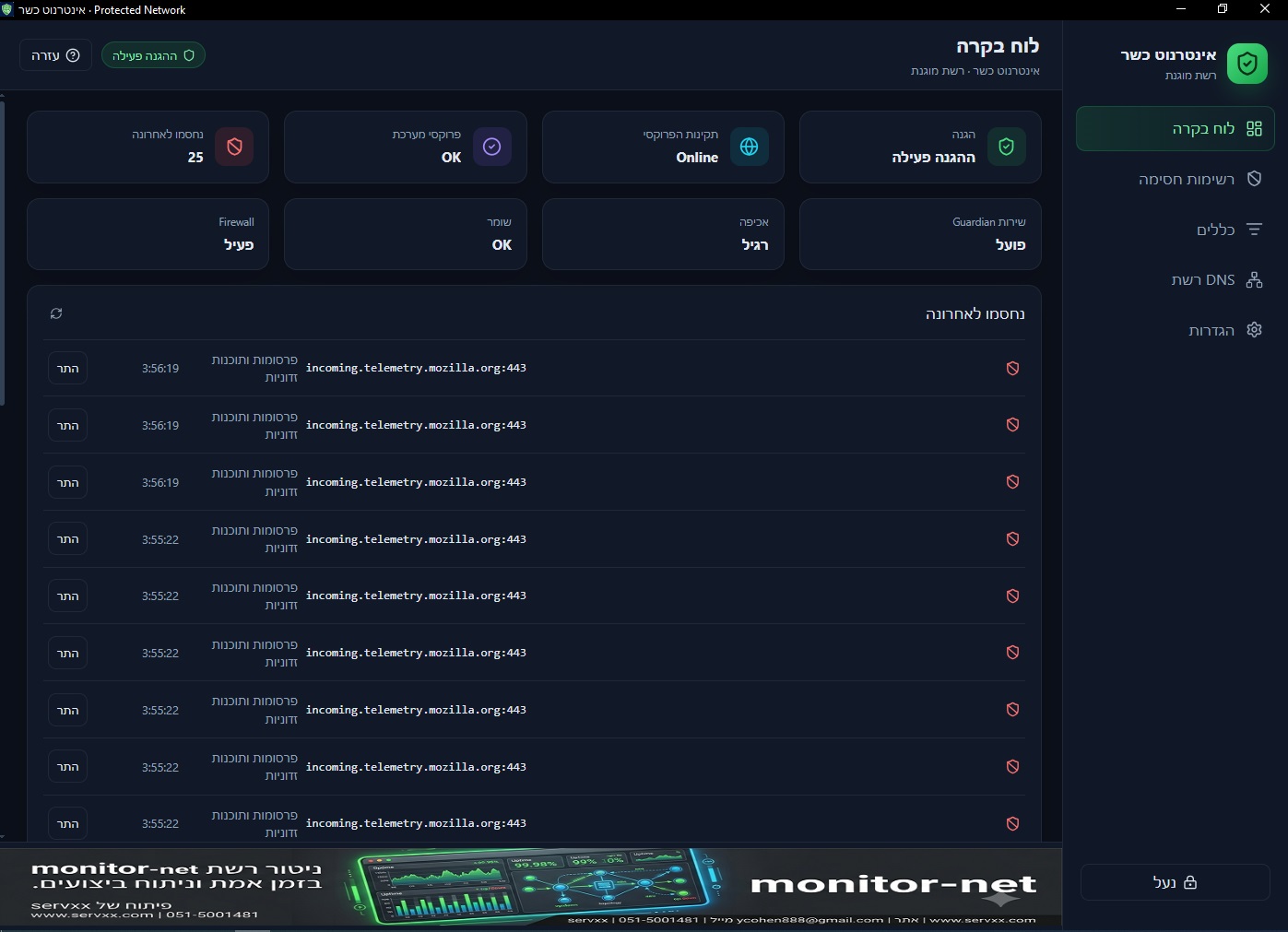
Library, community center, institution, or public desk — clear policy and recent blocks on the dashboard.
Key features
-
Guardian service
Filtering continues in the background after the UI is closed — as a Windows service.
-
System proxy
Browser proxy lock, health checks, and enforcement levels: Standard or Strict.
-
Lists and rules
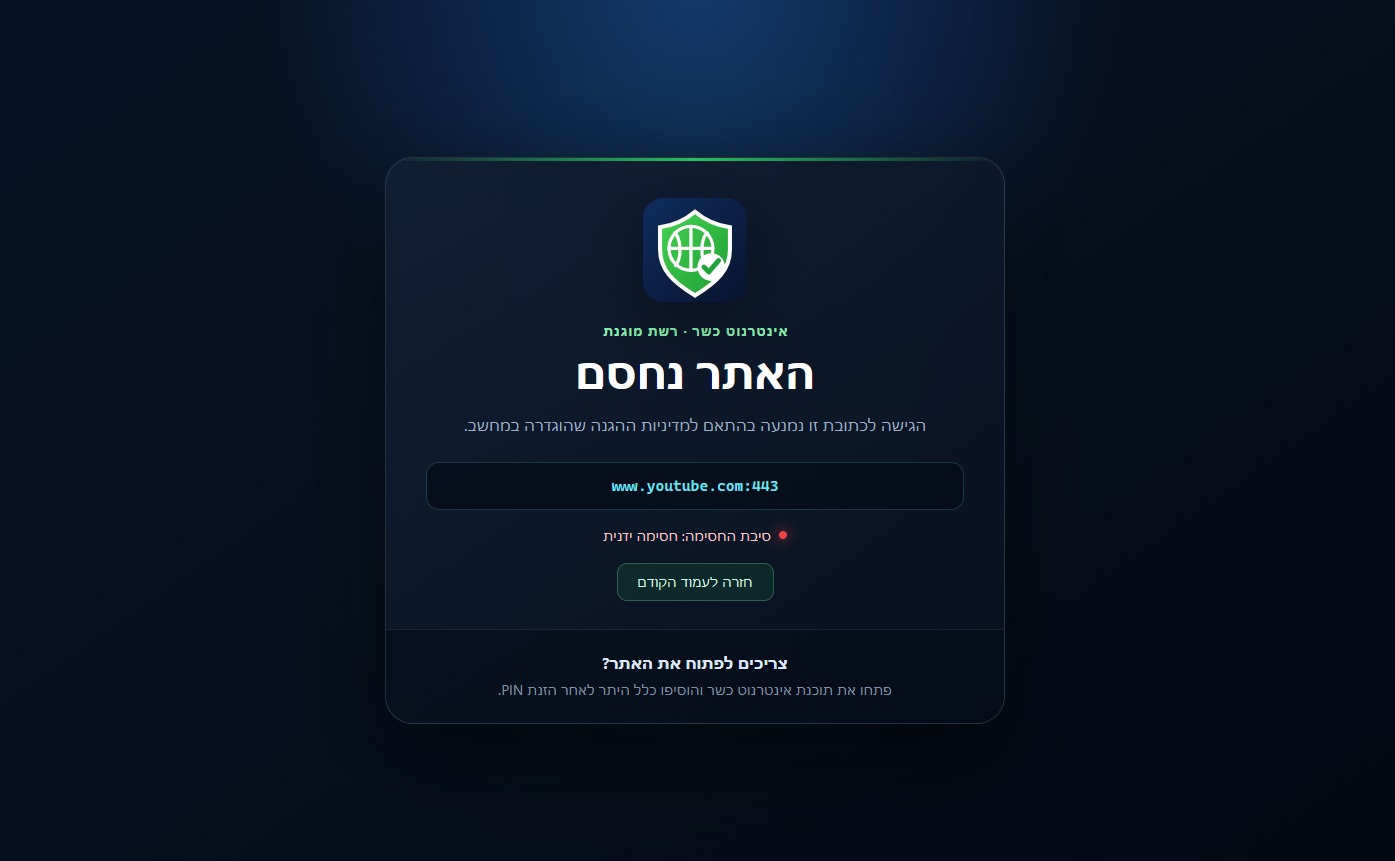
StevenBlack blocklists (immodest content / gambling) plus manual block rules: close YouTube, news, social networks, or any other site.
-
PIN lock
Settings changes, full shutdown, and exit require a code. Uninstall also asks for the PIN.
-
Network DNS
Optional filtering for phones and TVs via the router (Primary DNS = this PC).
-
SafeSearch and YouTube
Forced SafeSearch, YouTube Restricted mode, and optional keyword checks.
-
Hebrew and English
RTL Hebrew UI by default, dark/light theme, and a built-in user guide.
-
System tray
Minimize to tray, recent blocks on the dashboard, and start with Windows.
Screenshots
Quick start
- 1. Download the installer from GitHub Releases and install as administrator.
- 2. On first launch, set a PIN and turn protection on.
- 3. On the dashboard, confirm protection and proxy are active.
- 4. Minimize to tray is fine — keep the Guardian service running.
- 5. To block a site (e.g. YouTube or news) or allow one: use Rules, or Allow from a recent block.
Tips and limits
- Filtering is not absolute (Safe Mode, Live USB, VPN, DoH/DoT, apps that ignore the proxy).
- Without network DNS, other home devices are not filtered automatically. For DNS: router Primary = this PC’s LAN address.
- To block YouTube / news / a specific site: add a block rule on the Rules screen (domain or URL).
- Please do not use on Shabbat or Yom Tov.
Requirements and data
- Windows 10 or 11, 64-bit · install as administrator · WebView2 (installed automatically if missing)
- Please do not use on Shabbat or Yom Tov · provided AS IS with no warranty
Settings and data stay on the PC. Full shutdown and uninstall require the PIN.
Ready to protect the network?
Download the installer from GitHub Releases, install as administrator, and set a PIN.