Downloads Hebrew Calendar
Hebrew Calendar — desktop calendar
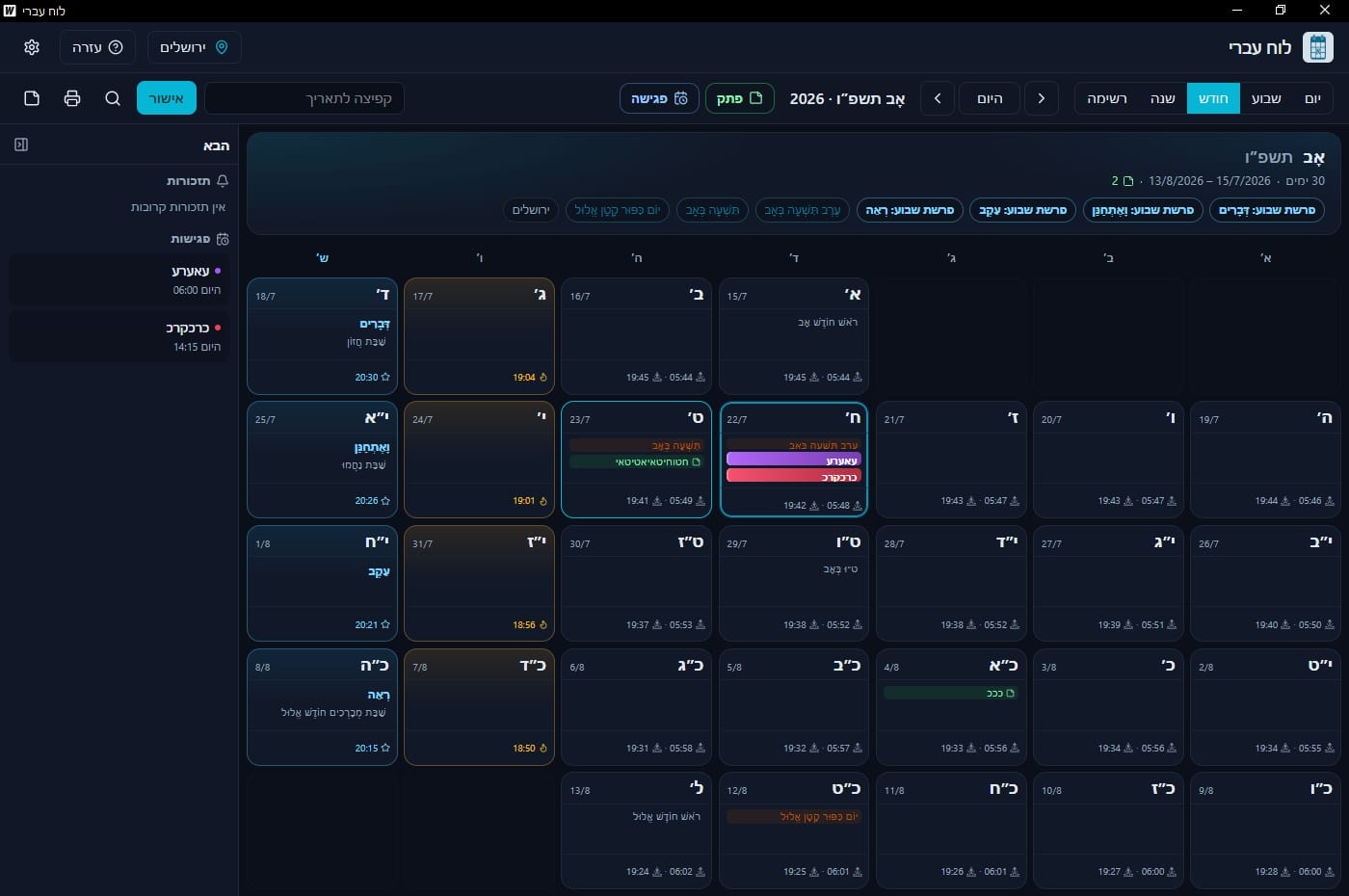
Hebrew date first with Gregorian secondary: holidays, weekly portion, Shabbat times by city, notes, reminders, and meetings.
- Windows 10/11 (64-bit)
- Hebrew · English
- Free to download
What is it?
Hebrew Calendar is a Windows app built around the Hebrew calendar. The Hebrew date is primary in every view, with Gregorian alongside — practical for daily planning and keeping mitzvot dates.
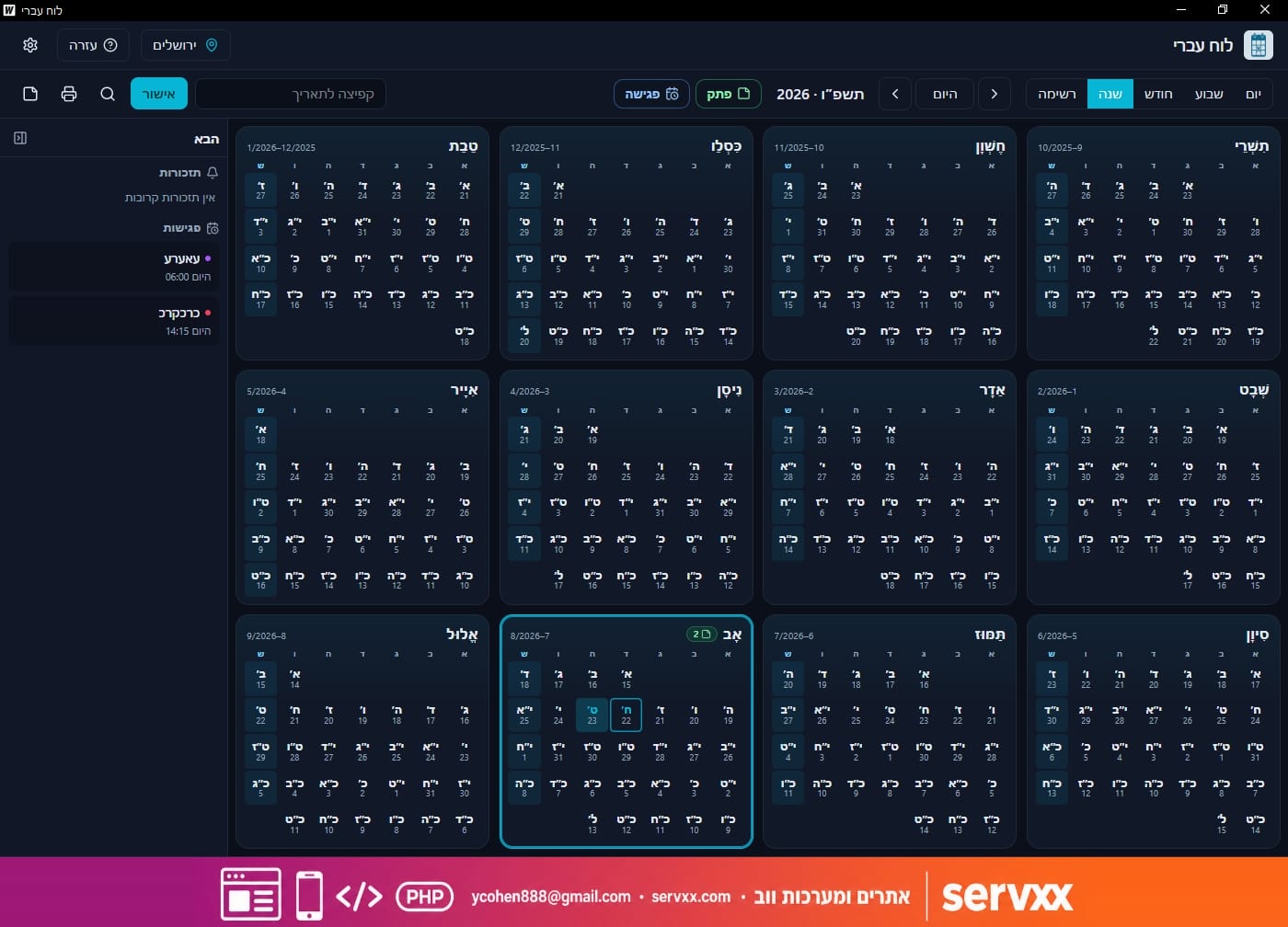
Day, week, month, and year views; holidays and fasts; Omer and weekly Torah portion; sunrise/sunset and Shabbat in/out by city; notes with reminders; and meetings on a timeline.
Key features
-
Full views
Day / week / month / year plus notes and meetings list.
-
Hebrew + Gregorian
Hebrew date primary and Gregorian secondary in every cell.
-
Holidays and times
Holidays, fasts, Omer, weekly portion, sunrise/sunset, Shabbat in/out.
-
City selection
Cities in Israel and worldwide for accurate zmanim.
-
Notes and reminders
Per-day notes with toast and sound.
-
Meetings
Timed meetings on the timeline — including drag-to-create.
-
Search and Upcoming
Global search and a side panel of upcoming reminders and meetings.
-
Print and theme
Print / PDF for week and month · light / dark / system.
Screenshots
Quick start
- 1. Pick a view: day, week, month, or year.
- 2. Choose a city in the header for accurate Shabbat times.
- 3. Navigate with back / today / next, or jump via search.
- 4. Add a note or meeting from the toolbar for the selected date.
- 5. In settings — default view, theme, and language.
Tips
- Click selects a day; double-click opens day view.
- In day view — drag on the timeline to create a meeting.
- Ctrl+K for global search · Ctrl+P to print (week/month).
- The Upcoming panel shows nearby reminders and meetings.
Requirements and data
- Windows 10 or 11, 64-bit · WebView2 (installed automatically if missing)
- Please do not use on Shabbat or Yom Tov
Notes, reminders, and meetings are stored locally on the PC.
Ready to install?
Download the installer from GitHub Releases and run it.