Downloads Backup App
Backup App — professional desktop backup
Mirror backup with frozen snapshots, local or SFTP destinations, scheduling, and a system tray — in Hebrew and English.
- Windows 10/11 (64-bit)
- Hebrew · English
- Free to download
What is it?
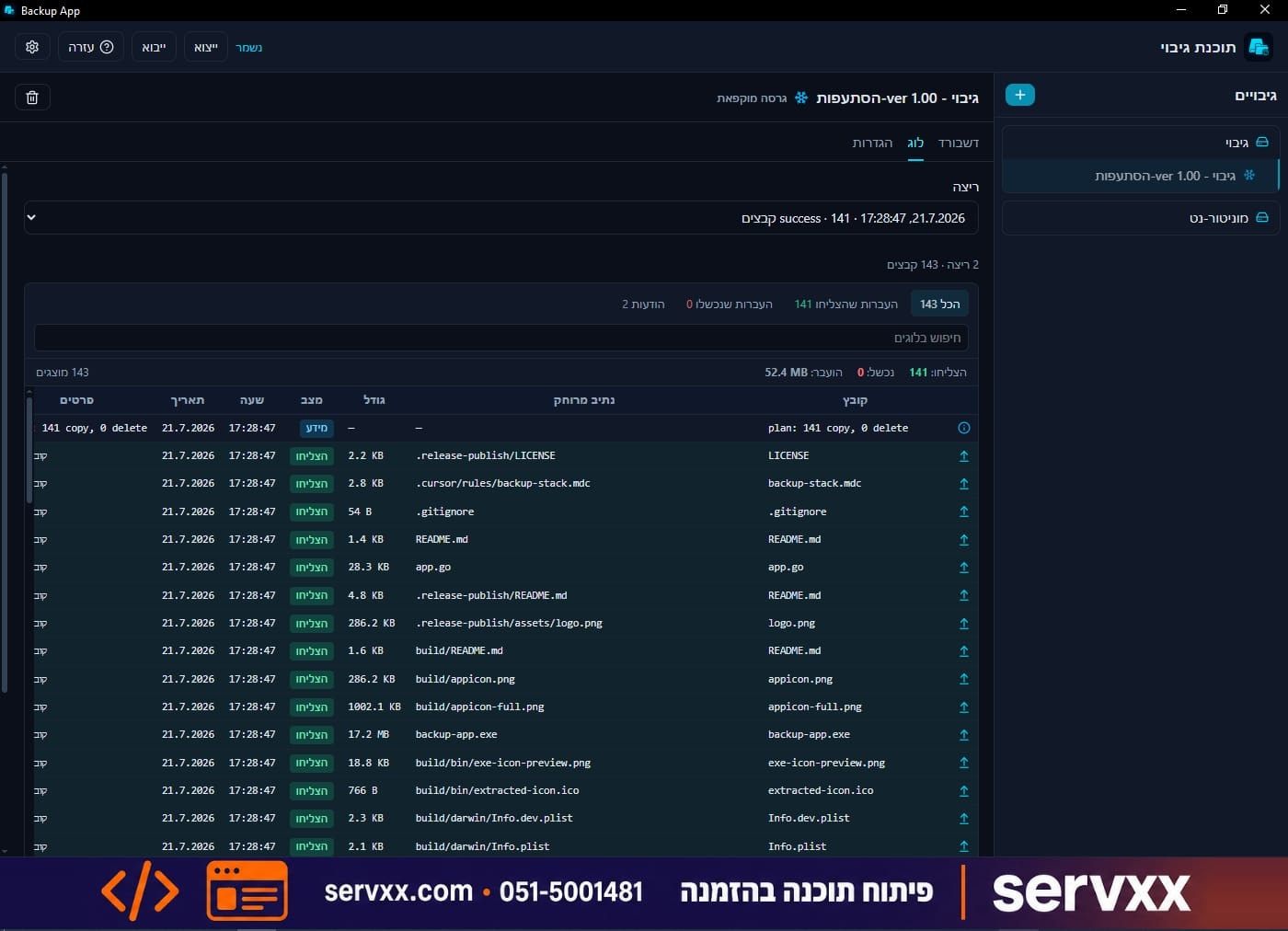
Backup App is a Windows app for orderly, reliable folder backups. It fits projects, documents, and work folders — to a local drive, network share, or remote SFTP server.
In mirror mode the «current» folder always mirrors the source (including deletions). Before a big change, create a frozen branch without stopping ongoing backups.
Key features
-
Mirror backup
The «current» folder stays in sync with the source — copies and deletions included.
-
Branches
A frozen point in time before a major change; «current» keeps updating separately.
-
Local or SFTP
Local / network disk, or upload to SFTP with DPAPI-encrypted passwords.
-
Scheduling
Automatic runs on a schedule — no need to remember manual starts.
-
System tray
Minimize to tray with Windows notifications for progress and status.
-
Security
Secrets stay encrypted; settings export omits passwords.
-
Speed
Parallel copy (1–5 files) and optional SHA-256 verification.
-
Languages
Full UI in Hebrew (RTL) and English (LTR).
Quick start
- 1. Click + in the backup list and name the project.
- 2. In Settings pick a local source folder.
- 3. Choose a destination — local or SFTP — and save.
- 4. Click Start backup and follow the dashboard.
- 5. Before a big change — create a clearly named branch.
Tips
- Set Exclude globs for temp files and folders like node_modules.
- Test a restore now and then — an unchecked backup is not a backup.
- Keep an extra copy of critical data (3-2-1).
- Use a branch before upgrades or bulk file edits.
Requirements and data
- Windows 10 or 11, 64-bit · WebView2 (installed automatically if missing)
- Free space on the backup destination (local / network / SFTP)
Settings and local database live under %AppData%\backup-app\
Ready to start?
Download the installer from GitHub Releases and run it.