Root-x – your app and your website in one place!

The site that tells customers your story, and the systems your team actually works in — on the same foundation, with the same users and permissions. Less confusion, less duplication, and less jumping between apps every day.

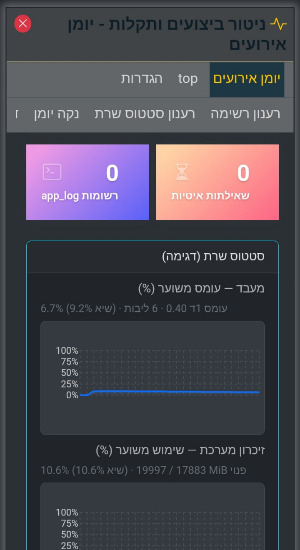
Root-x lets you build both a public website and internal tools on one base: admin screens, industry-specific tools, and whatever you need next. Secure access through the browser from anywhere — without spreading the same work across multiple servers or expensive remote-access stacks for every little task.

Why one place? What’s included?
Root-x

Software for every kind of business

The platform is designed to grow with you: you can build different applications on it — not only a public site. Examples: internal workspaces, customer or project management, reports and forms, tools tailored to your field — all with one identity and one management style, so you don’t keep building “a system inside a system.”

Users and permissions

Built-in user management: roles (admin, team, customer, guest, and more) and clear rules for who may see and do what. You grant access only to the right people — whether it’s someone updating the site, a manager who sees everything, or a customer in a limited area — without exposing the whole system.

Remote work — without extra infrastructure

Work happens in the browser: from the office, home, or the field. That keeps access simple for the team and helps you avoid costly, complex third-party remote-control solutions when services run on one well-organized server instead of many separate systems.

Simple day-to-day management (including the site)

When you need a site or content that changes often — text, images, pages, menus, and basic settings — everything stays in a clear interface, with no code required for routine updates.

Fits how you work

Needs change — the platform lets you add capabilities and extend what runs on it, without starting from scratch every time.

Templates and look & feel

Alongside the public site: design and structure managed through templates, so content and appearance stay tidy and easy to update over time.

Why put your app and your website together?

When everything revolves around one system, your team feels it every day — and your customers see it on the site.

Connect what customers see with what happens behind the scenes

An update in your admin can go hand in hand with what appears on the site — without copying the same information manually between two places. That cuts mistakes, saves time, and keeps your message consistent.

  • One onboarding story for staff — how to sign in, where things live, who may touch what.
  • Fewer passwords and login screens; fewer “where did we save that file?” moments.
  • Focused support and maintenance — no chasing one vendor for the site and another for internal software.

Grow at your pace — from today to what’s next

Start with what matters now: a brochure site, a catalog, a customer area, or a small internal tool — then add modules and workflows as the business grows. You don’t have to “fill the whole list” on day one; the platform stays the base you return to at every stage.

  • Small businesses get structure and a professional feel without juggling many unrelated free tools.
  • Larger organizations gain clear permissions and room to extend without throwing everything away.
  • Remote work stays simple: a browser and an internet connection — without a separate stack for every task.

Builder: visual editing that feels natural

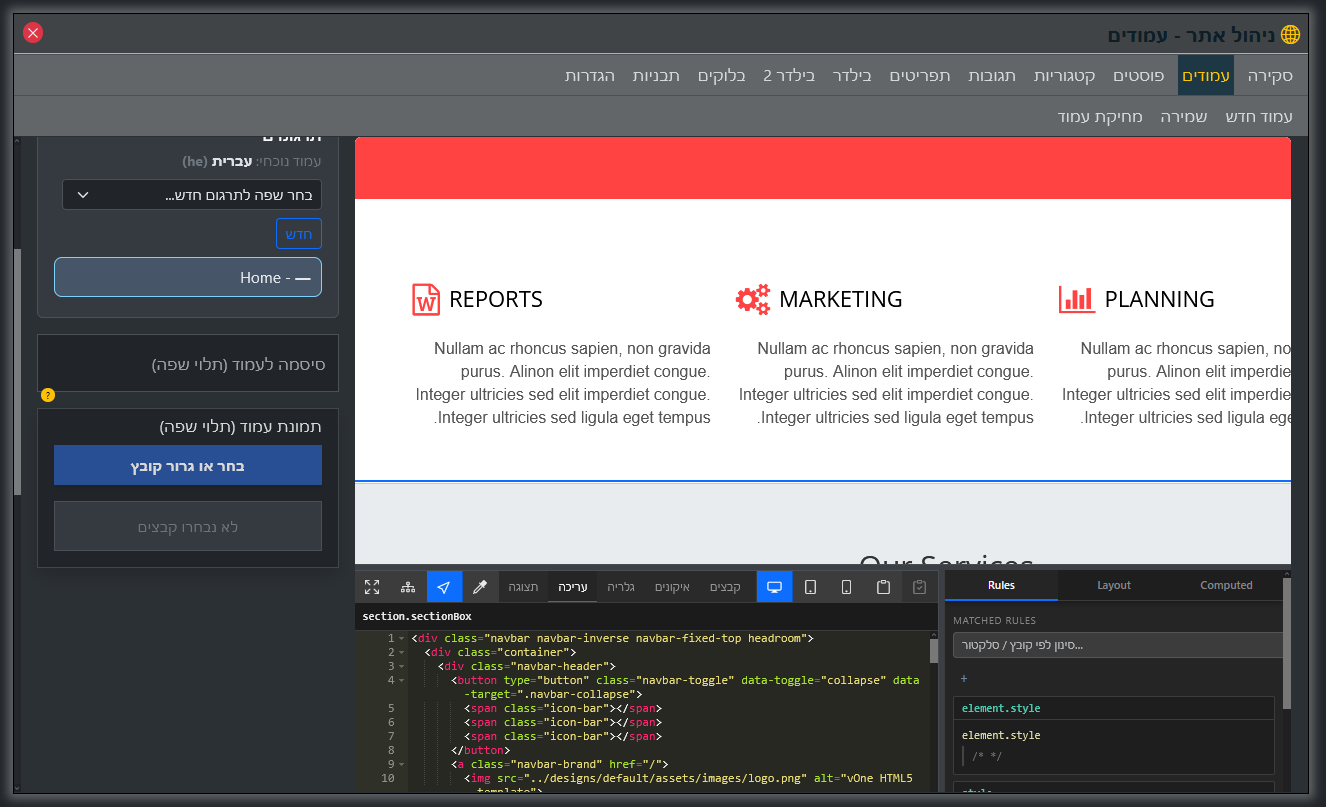
This matters when you have a site or pages that must look professional and update often without calling a developer for every tiny change. The platform offers builders that show changes live: block-based pages (text, images, sections) or ready-made templates — and you always preview before publishing what visitors will see.

  • Text and images: Edit content right on the preview — no guesswork.
  • Media library: Files and images in one place — easy to find, replace, and reuse across pages.
  • File editing (when you need it): Designers and developers can apply advanced tweaks inside the platform — without working “outside” your admin.
  • Image tools: Simple crop and polish before anything goes live.
Builder

A bit more about the platform

What is Root-x?

In short: your app and your website in one place . Root-x is a foundation for building and running software in a company or business — not only web pages. It’s an environment where you can connect admin screens, internal tools, and tailored apps while keeping users, permissions, and order under control. The public site is the most visible piece; everything else is built on the same base.

Who is it for?

Businesses and organizations that want one central place to grow different solutions — from a website and content to internal processes — without scattering users and data across many systems that don’t talk to each other.

How does this ease infrastructure headaches?

When the team works in a browser against one organized server, it’s easier to skip extra layers of costly remote-access links or duplicate servers for every small need. Security and backups still matter — but the model is simpler to run and easier to predict cost-wise.

Can the site run in several languages?

Yes. The platform supports multilingual sites: languages, linked content versions, and settings that help visitors and search engines — with the public site as part of the overall solution.

What else can you manage?

Among other things: posts, menus, and audience comments on posts — plus anything built on the platform for your business needs, always respecting user permissions.

Why not two separate systems?

Two systems usually mean two user sets, two places to update the same information, and two kinds of issues and support. When the site and internal software share one foundation, it’s easier to stay accurate, keep security consistent, and give the team a coherent experience.

What does it feel like day to day?

People sign in through the browser and see only what their role allows — and if they need to update the site and handle an internal task, it happens in one familiar place without constantly switching tools. That shortens training and cuts mistakes from “I was in the wrong system.”

Want to learn more?

For details, a consultation, or any question — get in touch.